

Animate a product photo
Start with a clear photo and request a restrained movement, such as a slow camera push toward the product. Before using the result, check the label, logo, and product shape throughout the clip.
Describe a scene or upload a starting image to create a short video for a product, a social post, or a story. Choose MiniMax H3, H3 Max, or H3 Max Turbo to suit the resolution and budget you have in mind.
Production preview
Walk away with a 5–15 second clip from your words or your photo — ready for a product open, a social hook, or a story beat.
MiniMax H3 text to video plays a written scene as a 5–15 second clip. The people, the action, and the camera move you named show up in the shot. A story beat, a product open, or a social hook can start from a few sentences.

MiniMax H3 image to video starts from a still you upload — a fashion frame, a product shot, an illustration. You add the motion. The clip still matches the picture you started from.
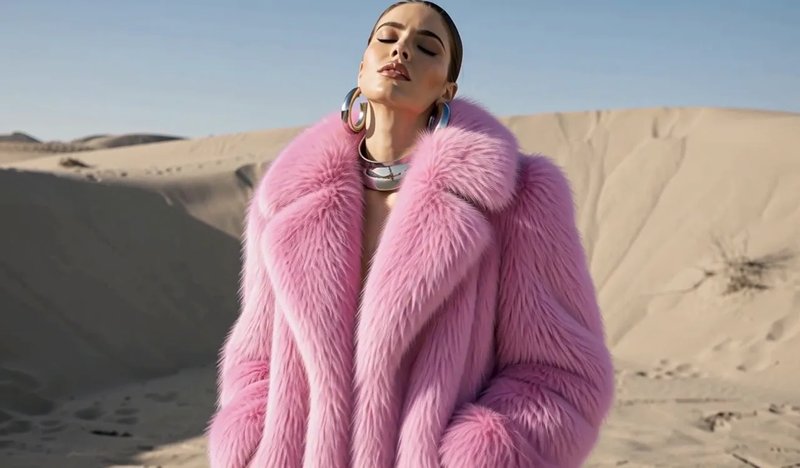
From one still, get a talking clip where the expression and the line land together. MiniMax H3 Max plays both in the same file. A talking product open or a social hook can start from one still.


MiniMax H3 text to video is useful when you have a scene in mind but no image yet. Describe who or what appears, what moves, and how the camera should follow it. A product turning toward the light is a clearer starting point than a list of visual styles.
Image to video starts from a picture you already have. Upload a product photo, an illustration, or a scene, then describe the movement you want to add. If the ending matters, add an end frame to guide where the clip finishes.
Give clear directions for the parts of the scene that matter to you.
Tell the model what the subject does and what the camera does. For example: “The bottle stays still while the camera moves slowly closer.”
A starting image gives the video a visual reference. Choose a frame with a clear subject, then describe motion rather than repeating everything already visible.
Add an end image when you have a particular closing composition in mind. Use the prompt to describe the movement between the two frames.
In text-to-video mode, choose a shape that fits the placement, such as portrait for a social post or landscape for a website video. Prepare image inputs in the composition you want to animate.
Start with a short scene you can judge clearly.
Use Text to video for a written scene, or Image to video to upload a start frame. An end frame is optional.
Name the subject’s movement and the camera movement. Start with a short scene you can judge clearly.
The generator starts on MiniMax H3 Max Turbo. Pick the model, resolution, and duration, then check the displayed cost before generating.
Watch for the movement, framing, and details that matter to you. Adjust one instruction at a time, then download the result you want to use.
Choose one visual idea to develop in MiniMax H3, then review the details before using the clip.
Start with a clear photo and request a restrained movement, such as a slow camera push toward the product. Before using the result, check the label, logo, and product shape throughout the clip.
Describe one action that introduces your subject immediately. For a vertical post, choose portrait framing and keep the main subject easy to see.
Try the setting, lighting, and camera direction for a scene before assembling a longer edit. Use the result to decide which visual idea to develop next.
When you already have the opening picture and the last picture, upload both and describe the movement between them. Use it for a product that turns to face the camera, or a character that ends in a set pose. Check both ends of the clip before you use it.
Turbo is the lowest-cost option here for exploring variations. MiniMax H3 provides a 2K option. Max is another model to try with the same prompt. Resolutions above each model’s lowest setting require Premium; generation also uses credits.
| Default selectionMiniMax H3 Max TurboExplore variationsChoose a model | Alternative modelMiniMax H3 MaxTry another interpretation | Higher output sizeMiniMax H3Choose a 2K output | |
|---|---|---|---|
| Inputs | Text, or a start image with an optional end image | Text, or a start image with an optional end image | Text, or a start image with an optional end image |
| Resolutions | 480P / 768P / 1080P | 480P / 768P / 1080P | 768P / 2K |
| Default resolution | 480P | 480P | 768P |
| Duration | 5–15 seconds | 5–15 seconds | 5–15 seconds |
| Cost of a 5-second clip | 480P: 15 · 768P: 25 · 1080P: 50 credits | 480P: 35 · 768P: 75 · 1080P: 150 credits | 768P: 75 · 2K: 150 credits |
| Choose it when… | You want to explore variations at the lowest credit cost | You want to try an alternative result for the same scene | You need the 2K output size |
The default 5-second MiniMax H3 Max Turbo video at 480P costs 15 credits. New accounts receive 10 credits, so the signup balance alone does not cover a video. Add credits with a plan or credit pack before your first generation. Creating an account does not require a card.
Enjoy Limited-Time 30% OFF!
Use text when you want the scene created from your description. Use an image when you already have the opening composition, such as a product photo or illustration. You can also add an end image to guide the finish.
This generator accepts a text prompt and, in image-to-video mode, a start image and an optional end image. Video and audio reference uploads are not available here.
Resolutions above the lowest setting require Premium: 768P and 1080P on Max and Turbo, and 2K on MiniMax H3. On Max and Turbo, generating more than one output at a time also requires Premium. A credit balance is still needed to generate.
The 10-credit signup balance is less than the lowest video cost of 15 credits. Choose a plan or credit pack to add the balance needed for a generation.
Try the same prompt on the models you want to compare. Watch the subject detail, motion, and camera movement in each result, then choose the clip that best fits your scene.
Review lettering, logos, product shape, and movement throughout the clip. Use images you have permission to upload. See the Terms of Service in the footer for the conditions that apply to your use.
Write the action you have in mind, or upload an image and describe how it should move.