
Limited-Time 30% OFF!Get Offer
Generate with MiniMax H3 Max

MiniMax H3 Max Video Generator

Create a short video with MiniMax H3 Max from a written scene or a starting image. Describe one action and choose the framing that fits your shot.

Start frame
End frame
Duration (seconds)5s
5s10s15s
Number of outputs

Production preview

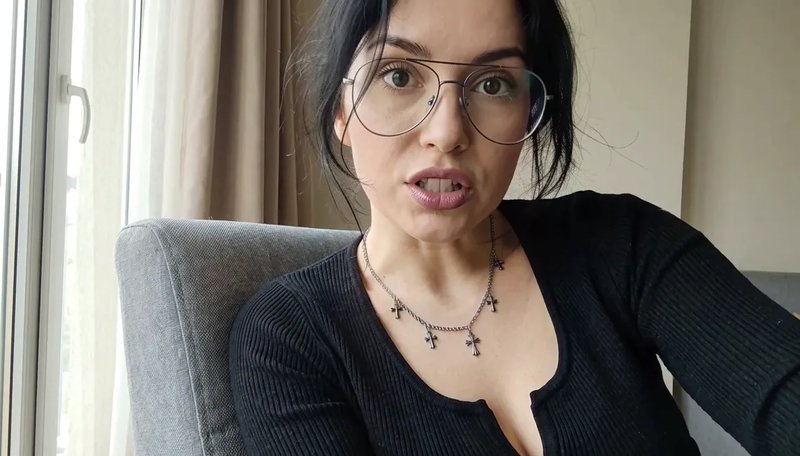
She is saying "I heard something. MiniMax H3 Max is here?.. Is that true?"

Create a shot from text or frames

MiniMax H3 Max text to video is useful when you have a scene in mind but no picture yet. Name who or what appears, the one action that happens, and how the camera should follow it. A product turning toward the light is a clearer start than a list of visual styles.

Image to video starts from a still you already have. Upload a product photo, a portrait, or an illustration, then describe only the movement you want to add. If the closing composition matters, add an end image so the last frame has somewhere to land.

Begin with a five-second take, then check the movement and subject details before extending the idea. At 480P, that take uses 35 credits.

Existing model examples

Examples and what to check

Copy the prompt into the MiniMax H3 Max generator above, then watch motion, lettering, and shape.

A written scene with one climb

The prompt names a subject, a timed action, and a camera rise. Watch whether the climb and the drones occupy the seconds you asked for.

Example prompt

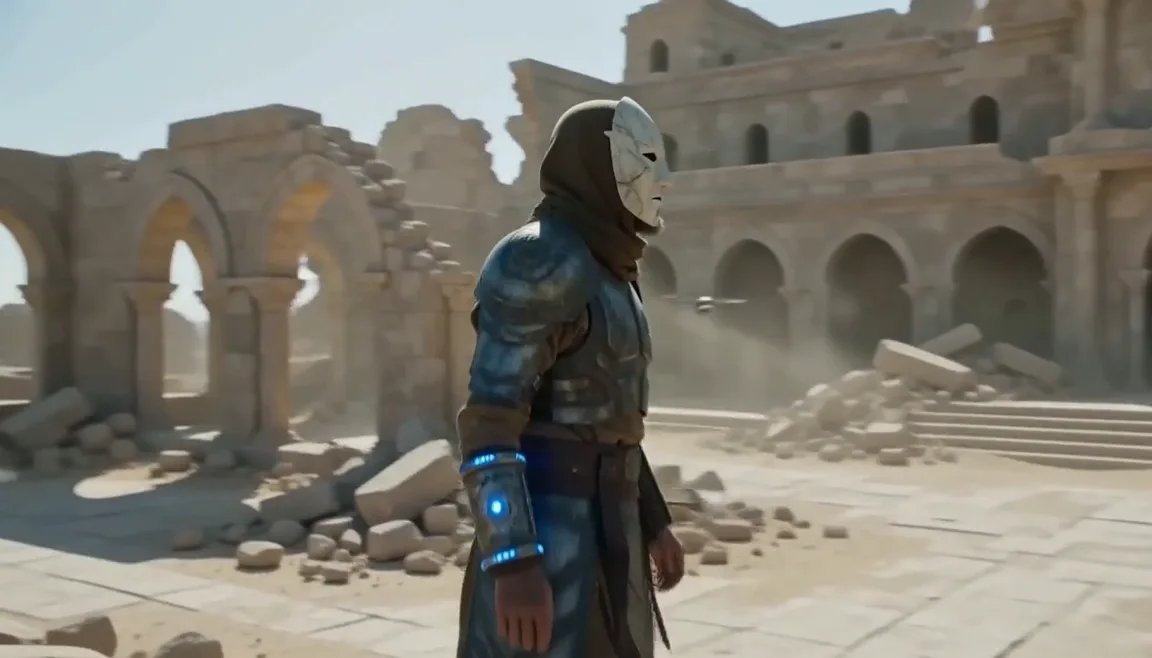
An aging warrior-monk in scorched ceremonial armor, a split ceramic mask and a humming prayer-band on his forearm + 0–4s: climbs silently along a cliffside terrace as insect-like surveyor drones comb the sun-bleached ruins, standing alone under as the camera rises over the ruined monastery. Sun-blasted post-apocalyptic sci-fi action, dust, heat haze, practical debris, sweeping crane tracking, silence broken only by wind.

Motion
The climb and the camera rise should occupy the first seconds. If the subject stands still, keep the same people and change only the action line.
Shape
Armor, mask, and silhouette should stay the same person from start to finish. If identity drifts, shorten the action before you add more style words.
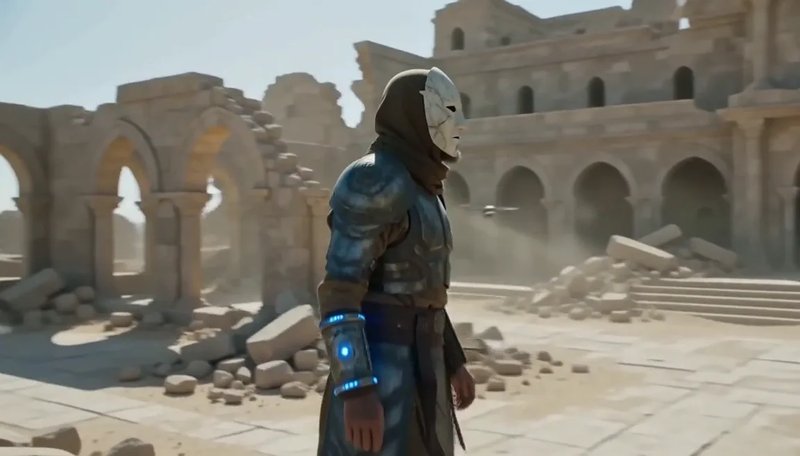
Text to video still: a masked warrior-monk in sun-bleached stone ruins
Homepage showcase on this site.

A talking clip from one still

The still holds the face and the chair. The prompt only hands her a quoted line. Check that the mouth matches the sentence, and that she still looks like the photo.

Example prompt

She is saying "I heard something. MiniMax H3 Max is here?.. Is that true?"

Lettering and speech
Listen for the quoted line. If the mouth does not match, keep the still and shorten the sentence on the next take.
Shape
Glasses, hair, and chair should still match the start image. The prompt should not re-describe the wardrobe as if you had no photo.
A woman in glasses speaking from a grey armchair
Start frame: a woman in glasses seated in a grey armchair
Start frame
Model example already used on this site.
Generator controls

Settings and credits

These are the same controls as the MiniMax H3 Max generator at the top of this page. Check the displayed cost before you generate.

  • Duration: 5–15 seconds

    Choose a whole-second length. Default is 5. Start short, then extend the idea after you like the movement.

  • Resolution: 480P, 768P, or 1080P

    Default is 480P. 768P and 1080P require Premium. MiniMax H3 Max outputs 480P, 768P, or 1080P — not 2K.

  • Framing from text or a still

    Text to video offers 21:9, 16:9, 4:3, 1:1, 3:4, and 9:16 (default 16:9). Image to video follows the start image.

  • 5-second credit cost

    480P uses 35 credits, 768P uses 75, and 1080P uses 150. New accounts receive 10 credits, so add a plan or pack before the first take. The Generate button shows the current cost.

Same prompt, other model

When to try Turbo

Stay here for one take you will inspect closely. Open MiniMax H3 Max Turbo when you want several versions of the same prompt for fewer credits. Keep duration and resolution the same, then compare the clips.

Current modelMiniMax H3 MaxThis pageGenerate with MiniMax H3 MaxSibling modelMiniMax H3 Max TurboLower credit cost per takeMiniMax H3 Max Turbo video generator
InputsText, or a start image with an optional end imageText, or a start image with an optional end image
Resolutions480P / 768P / 1080P480P / 768P / 1080P
5-second credit cost480P: 35 · 768P: 75 · 1080P: 150480P: 15 · 768P: 25 · 1080P: 50
Choose it when…One take you will inspect for motion, lettering, and shapeSeveral versions of the same prompt at a lower credit cost
FAQ

Before you generate with MiniMax H3 Max

Your next take

Generate with MiniMax H3 Max

Write one action, or upload a starting image, then run the shot in the generator above.